Skip to content
FREESubscription tracker for Android

Know what renews before it charges.

SubTrack keeps every subscription in one calm place - reminds you before renewals and free trials end, catches price hikes and shows exactly where your money goes. No account. No ads. Your data stays on your phone.
Free for 5 subscriptionsOne-time Lifetime unlockWorks in any currency
Featured on The Launch Feed
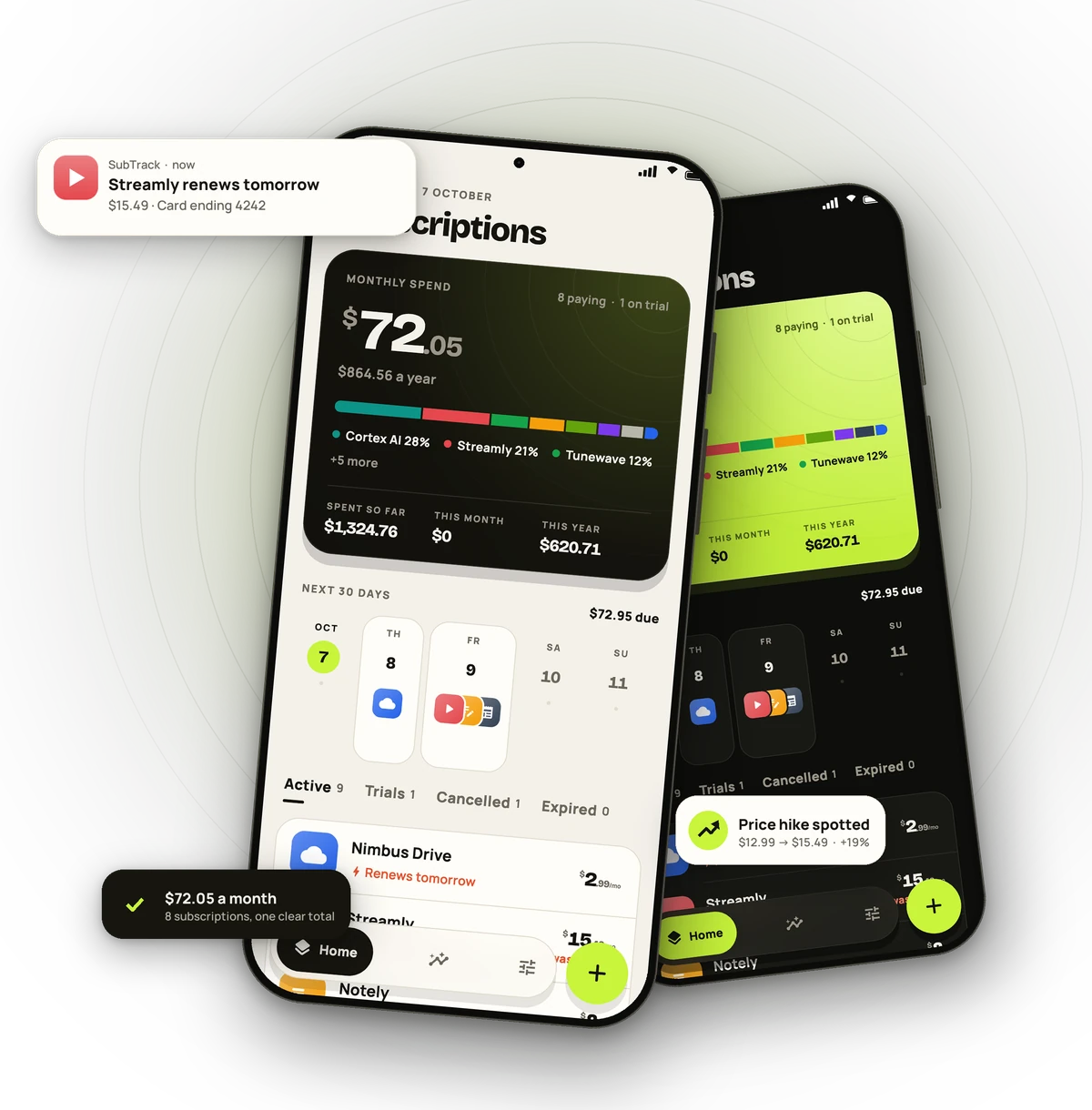
SubTrack on two phones: the home screen with $72.05 monthly spend, a renewal reminder and a price-hike alert
Everything in one place

Small charges add up. See them all.

Built for the way people pay today - streaming, music, AI tools, cloud storage, fitness, news and everything in between.

Renewal & free-trial reminders

A heads-up 1, 2, 3 or 7 days before every charge, and before a free trial quietly turns paid. A 30-day calendar shows what's coming - renewals on the same day stack up so nothing hides.

Catch price hikes

Record a new price and SubTrack keeps the history - and what it costs you more every year.

Spending insights

Monthly and yearly totals, spent so far, a 12-month forecast and cost by category.

Scan a screenshot

Snap your Play Store subscriptions, a receipt or a billing screen. Prices and dates are read on your phone.

Add from your phone

SubTrack spots subscription apps you already have installed, so adding one takes a tap.

Shared plans

On a family or duo plan? Split the cost and every total counts only your share.

Knows how you pay - and where to stop it

Card, PayPal, bank debit, phone bill or UPI AutoPay. When you cancel, SubTrack points you to where the payment itself is stopped - and opens that app.

Backup & restore

Save everything to a file - Drive, Downloads, anywhere - and restore it on a new phone.

Never miss a renewal

The next 30 days, at a glance.

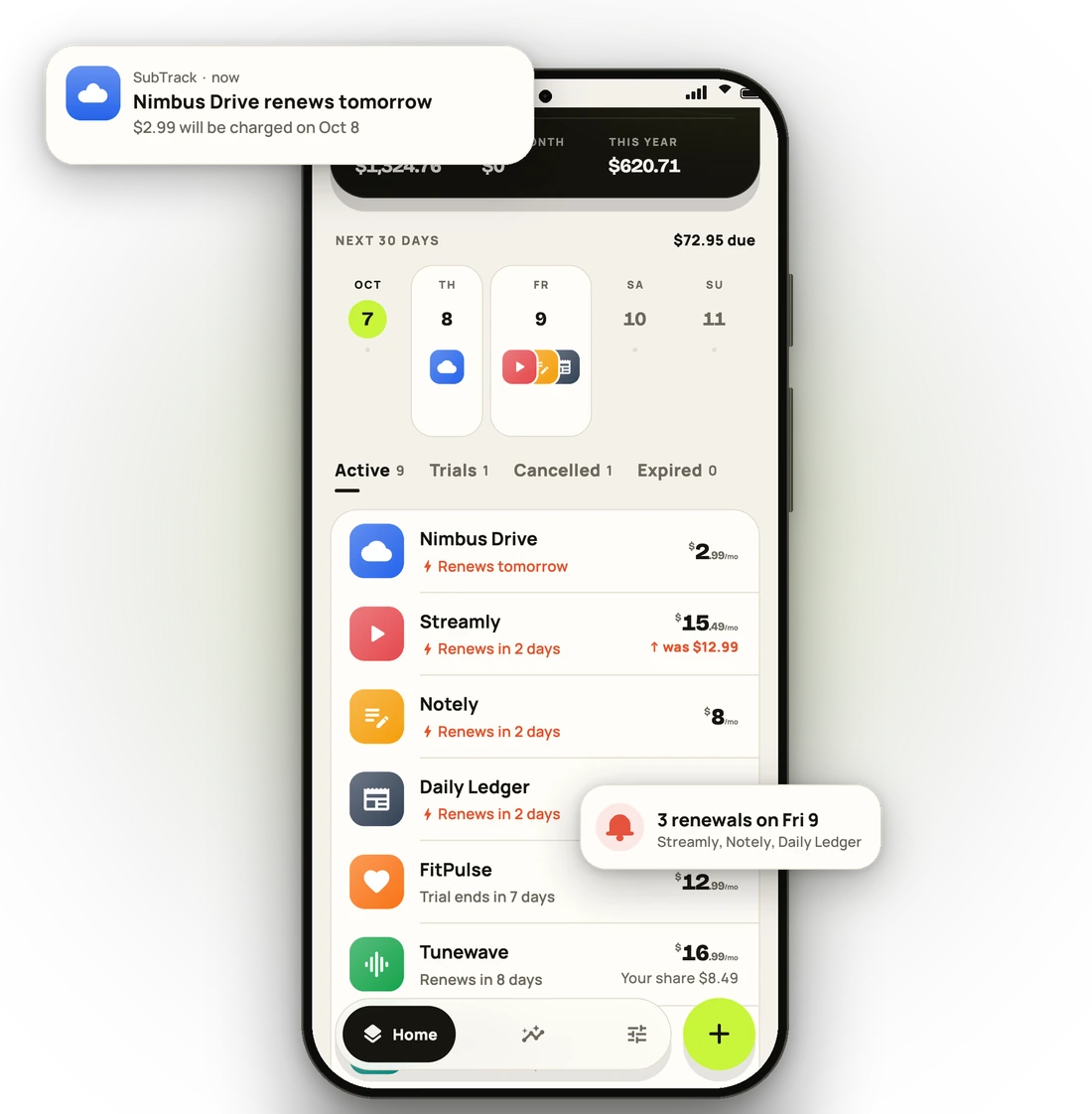
Every upcoming charge on one calendar with each app's own icon, and a reminder at 9 AM before it lands.
  • Free-trial alerts before the first charge
  • One-time passes remind you before access ends
  • Cancelled? Keep access until the period you paid for ends
SubTrack's renewal calendar with a reminder that a cloud storage plan renews tomorrow
Catch every price hike

Prices creep up. You'll notice.

Change a price and SubTrack asks: a real increase, or a typo? Real ones go into the price history - and past payments keep the price you actually paid.
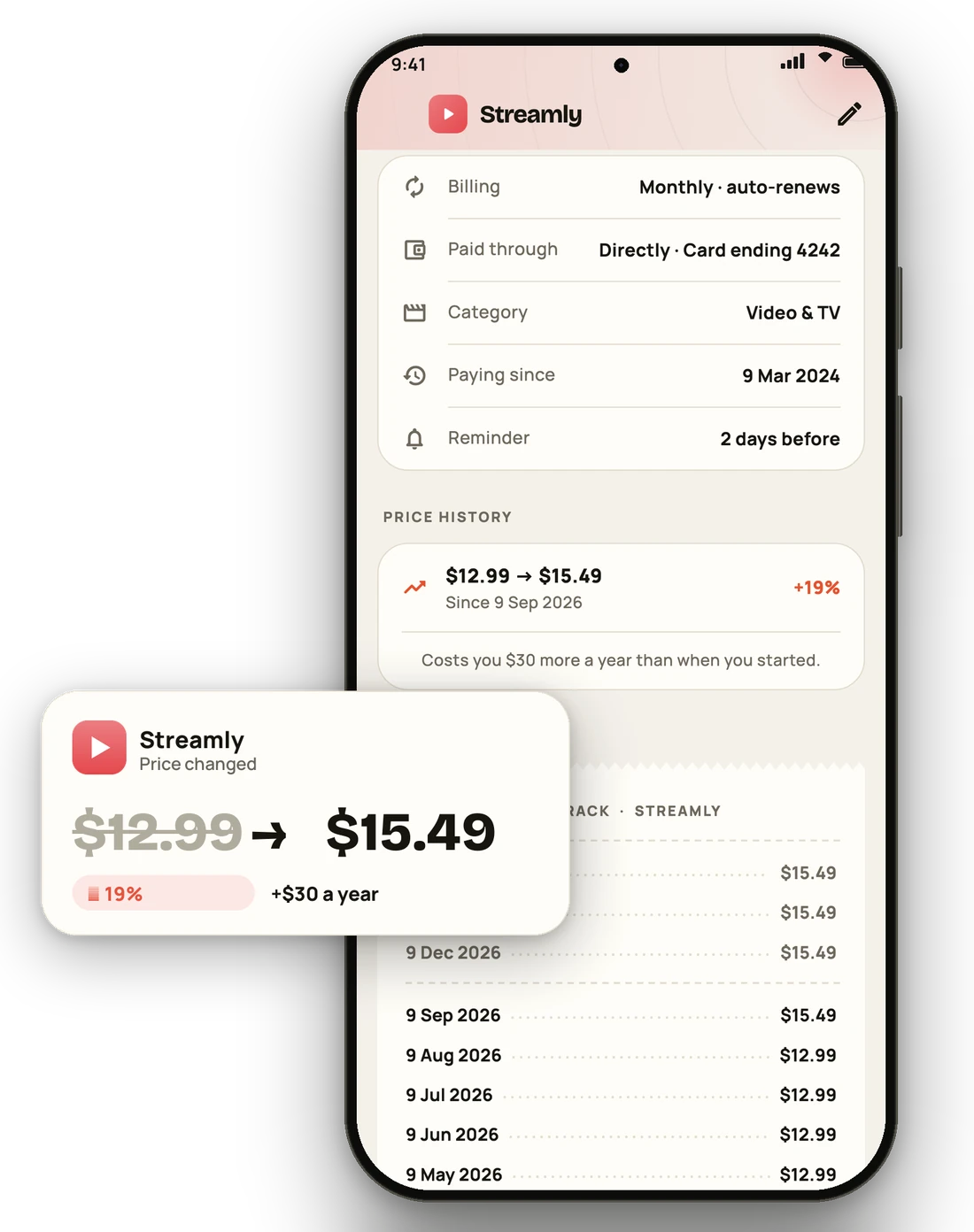
  • Percent change and extra cost per year
  • A receipt-style history of every payment
  • Recent hikes flagged right on your list
A price change from $12.99 to $15.49, up 19 percent, and the payment history
Know where your money goes

Your year of subscriptions, forecast.

See what you'll spend over the next 12 months, what you've spent so far, and which categories cost the most - so deciding what to keep is easy.
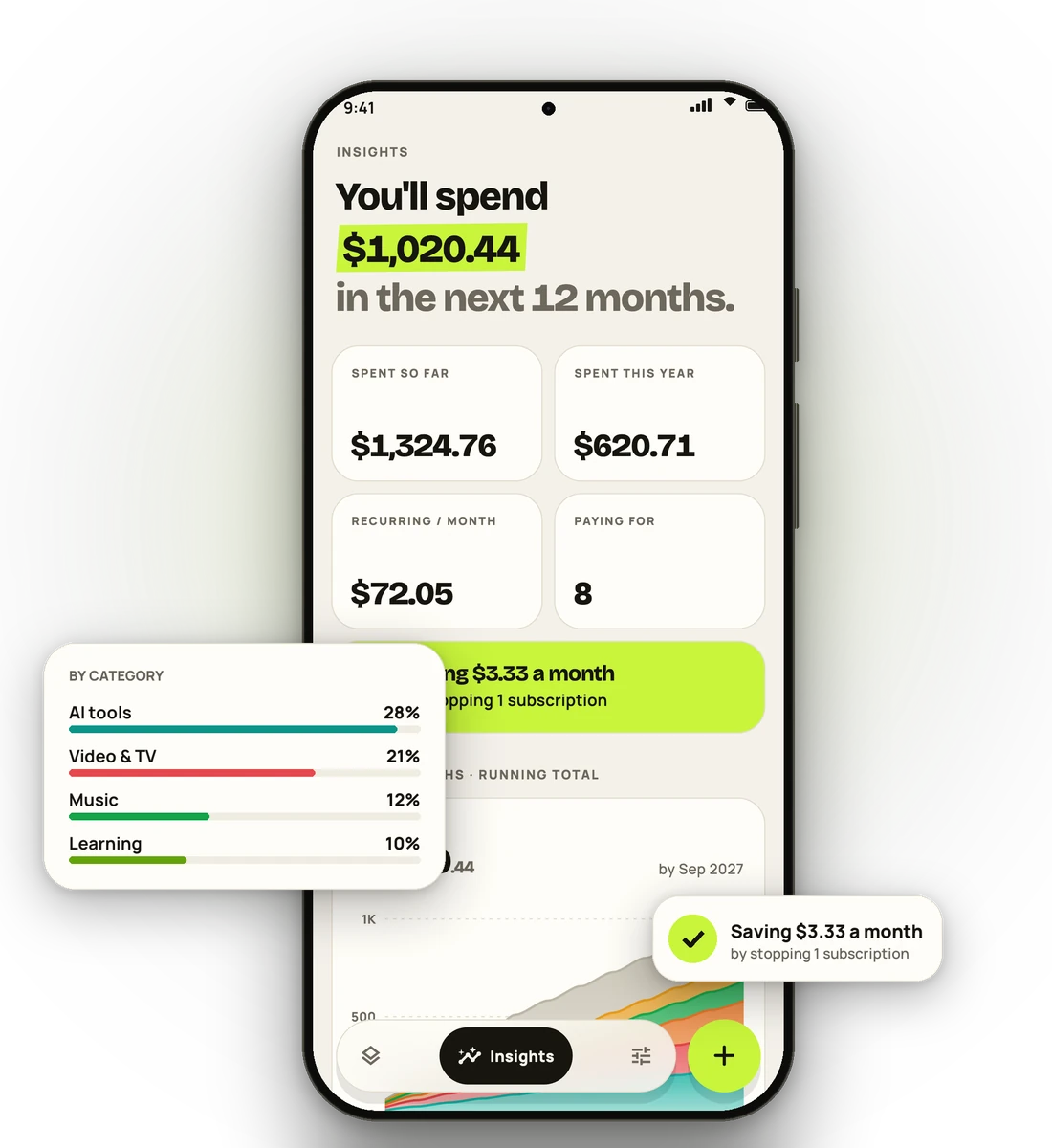
  • Spent so far, this month and this year
  • Your priciest month called out in advance
  • What you save by stopping a subscription
Insights forecasting $1,020 over the next 12 months, with spending by category
Add them in seconds

No typing marathon. Tap or scan.

Pick from the subscription apps already on your phone, or scan a screenshot of your Play Store subscriptions - SubTrack fills in prices, billing cycles and renewal dates for you to check.
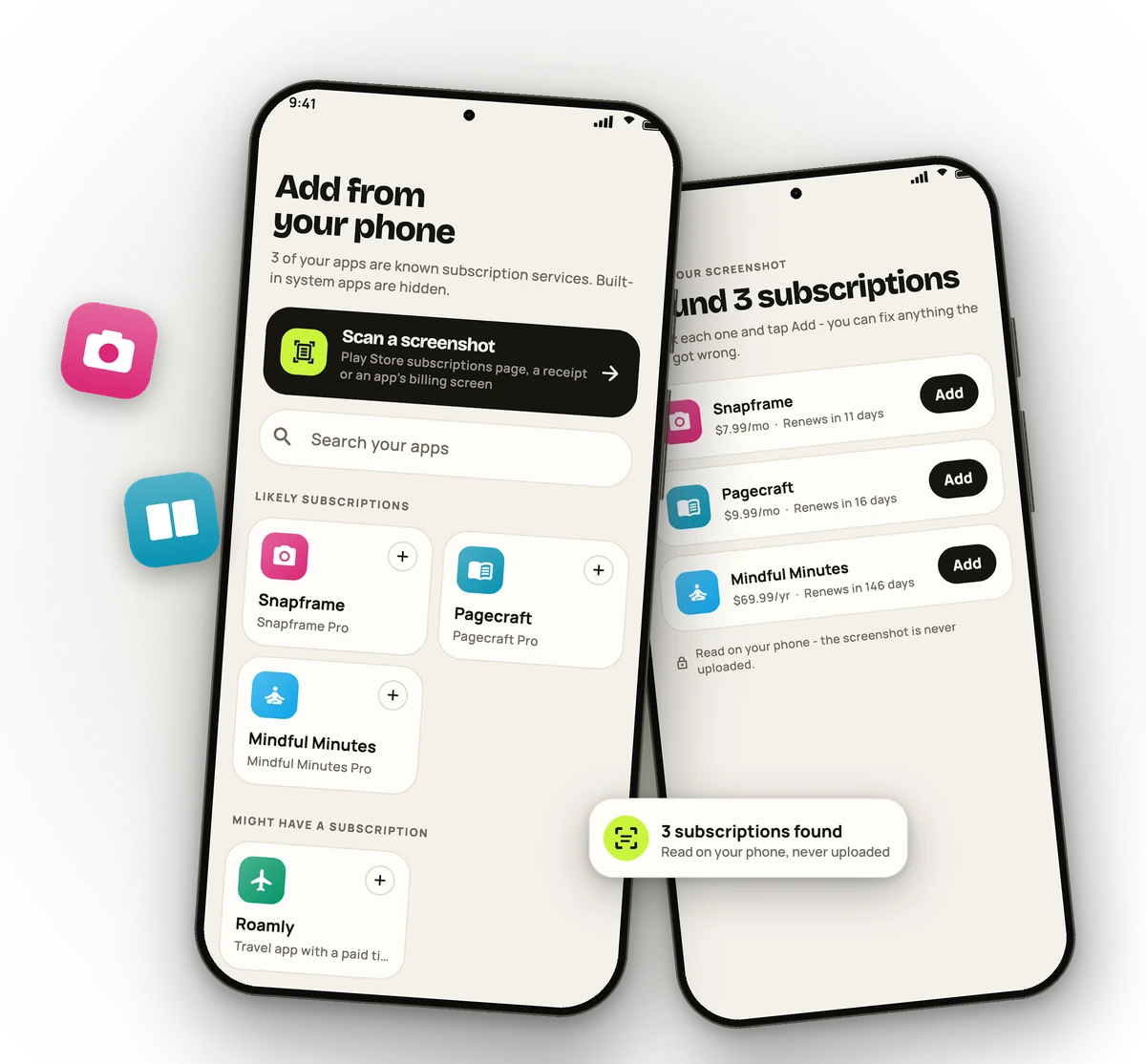
  • Built-in system apps are hidden
  • Reads prices and dates in any currency and format
  • The screenshot never leaves your phone
Adding subscriptions from installed apps, and three subscriptions found in a screenshot
Private by design

Your subscriptions live on your phone.

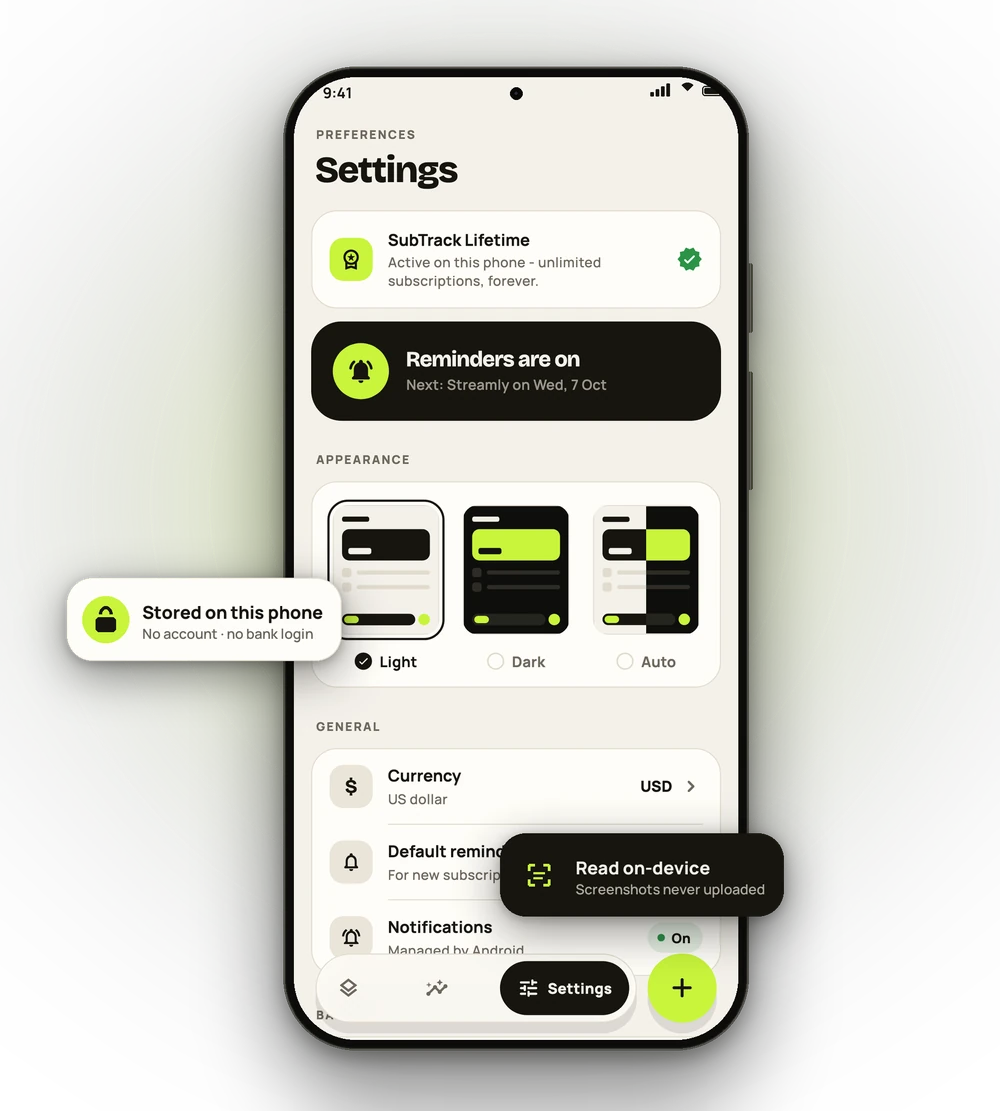
A subscription tracker shouldn't need your bank login. SubTrack keeps everything on your device - nothing to sign up for, nothing to leak.

No account

Open the app and start. No email, no password, no profile.

No bank login

SubTrack never connects to your bank, cards or messages.

On-device scanning

Screenshots are read on your phone and never uploaded.

No ads, ever

No ad SDKs, and the advertising ID is never collected.

Your backups, your place

Back up to a file you keep - Drive, Downloads, anywhere.

Optional, anonymous stats

Feature-usage stats help improve SubTrack. One switch turns them off.

Read the privacy policy
Simple pricing

A subscription tracker that isn't a subscription.

Start free. Unlock everything once, keep it forever.

FREE

Free

$0

Everything you need for a handful of subscriptions.

  • Up to 5 active subscriptions
  • Renewal & free-trial reminders
  • Calendar, insights and price history
  • Screenshot scanning and backups
Download free
LIFETIME

SubTrack Lifetime

$4.99once

One payment. No renewals. Yours forever.

  • Unlimited subscriptions
  • Every feature, now and in future updates
  • Moves with you to a new phone
  • Supports an independent developer
Get SubTrack

Lifetime is bought in the app through Google Play; the price is shown in your local currency and may differ by country.

Questions

Good to know

Does SubTrack cancel subscriptions for me?
No - and it never asks for the access that would need. SubTrack shows what you pay for, reminds you before charges, and when you decide to cancel it opens the right place: Google Play's subscriptions page, the app itself, or the payment app (PayPal, your bank, your UPI app) where the recurring payment is stopped.
Is my data uploaded anywhere?
Your subscriptions, prices, notes and payment history are stored only on your phone. If you buy Lifetime, a small licence record (no personal details) is kept so it's active on one phone at a time. Anonymous usage statistics are optional and can be switched off in Settings. The privacy policy has the details.
Which currencies and countries are supported?
SubTrack works worldwide. It picks your currency from your country on first launch, and Settings lets you switch between the most common ones. Screenshot scanning understands prices like $9.99, 12,99 €, ¥1,480 or Rp 54.000, and dates in your country's format.
What happens when I get a new phone?
In SubTrack, go to Settings → Back up to a file, then on the new phone choose Restore from a file. Android's own backup to your Google account can also bring your data back after a reinstall. For Lifetime, tap Restore purchase on the new phone - it moves there and the old phone returns to the free plan.
Can I use Lifetime on two phones at once?
Lifetime is active on one phone at a time, and you can move it whenever you like with Restore purchase or “Use on this phone”.
How do refunds work?
Lifetime is sold by Google Play, so refunds follow Google Play's refund policy - you can request one from your Google Play order history. If something isn't working, contact us first; we're happy to help.
Is there an iPhone version?
Not yet - SubTrack is built for Android first. Send us a note if you'd like one.

Stop paying for what you forgot.

Free on Google Play. Set up in under a minute.

Get it on Google Play